Course management can be a challenging task, especially when learning administrators lack the ability to monitor and track courses within their training program and quickly replace courses that have been retired. This not only makes course management time-consuming but also inefficient.
The My Courses Dashboard provides administrators with a clear view of the status of their courses to help them easily monitor and manage courses in their training program. This feature is now available to customers with the direct integration, as well integrations including CourseCloud, SuccessFactors and Degreed (legacy customers will not have access).
Improved visibility into the status of your courses
At a glance, admins can identify which courses have been downloaded or delivered to their LMS, remove unwanted courses, as well as easily replace courses that are up for retirement, and view courses that are no longer available, so that you can confidently take action as needed to manage your training program with efficiency.
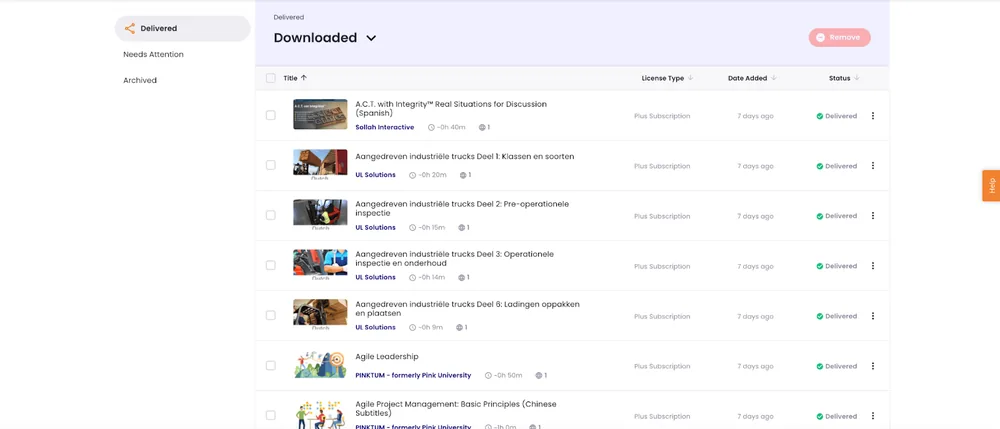
Real-Time Course Status Tracking
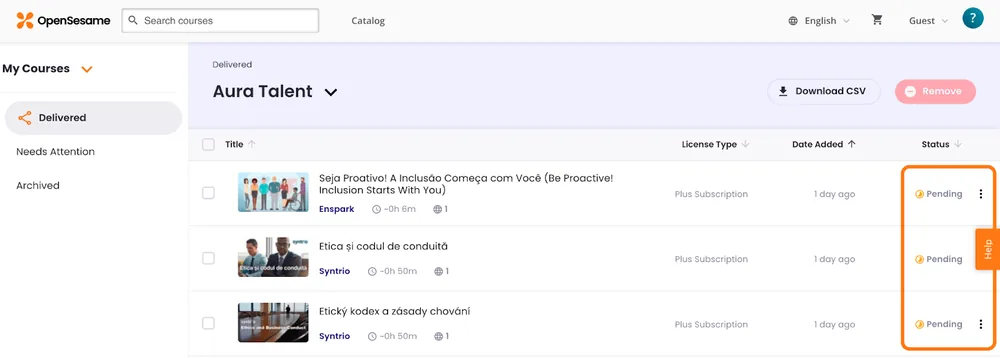
Statuses on the My Courses Dashboard allows admins to quickly view the status of their courses, track their progress, and ensure that admins are up-to-date with any changes. Those statuses includes:
- Pending: The course has been selected by the learning admin but has not been added to their platform catalog yet
- Delivered: The selected course is now available for the learning admin to leverage in their platform catalog
- Retiring: The course is scheduled to be retired
- Retired: The course has been retired
- Archived: The course has been archived by the customer
- Removed: The course has been removed by the customer
- Expired: The customer’s licenses are no longer active and their courses have moved to the archived tab
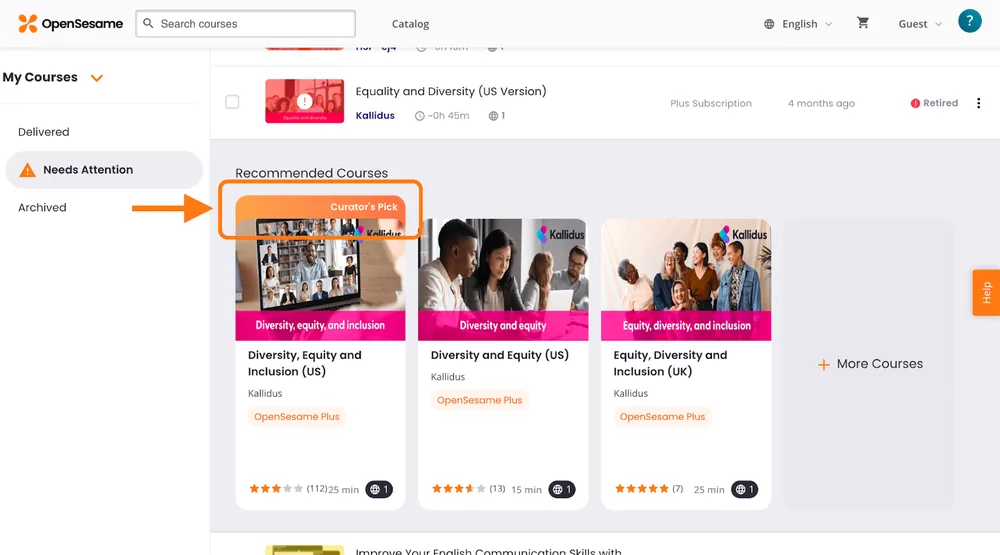
Quickly find and take action on retired courses
Admins don’t have to spend time searching through the entire catalog to replace retired courses. Admins will automatically receive a notification and be given suitable replacement courses based on recommendations from our expert curation team and artificial intelligence technology. This streamlines the process of finding suitable replacements, saving time and minimizing manual tasks.
Say goodbye to the time-consuming task of wondering about the status of your courses in your training program. With the My Courses Dashboard, you can easily view the status of each course, stay informed, and improve your overall efficiency and make the learning process smoother for everyone.
Schedule a demo to learn more about the thousands of elearning courses available from OpenSesame.